
Patent CN107139606B
Updated October 29, 2026Multifunctional Pen with Handwriting Sensing, Vibration Feedback and Remote Display
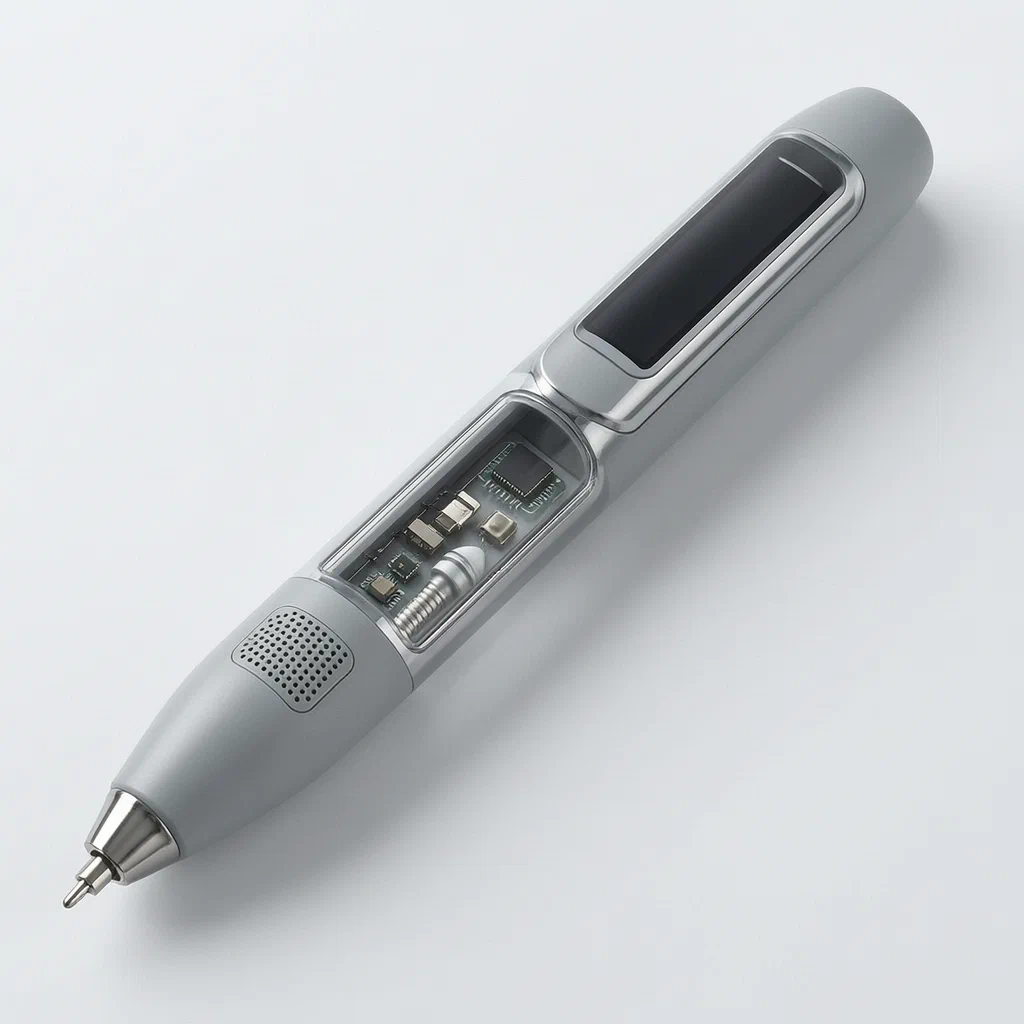
Practicing handwriting or taking notes often means checking a separate copybook or screen to see if strokes are correct. This multifunctional pen puts the feedback directly in hand. Sensors at the pen core track the tip position, while a microprocessor decodes the movement and compares it against downloaded font libraries stored in memory. When a stroke is missing or extra, a built-in vibrator shakes to alert the writer immediately. A strip display on the barrel shows the text, and a wireless module sends both the written information and the closest matching font character to a remote data indicator with divided viewing areas showing guide grids. Users can download regular script or running hand fonts via USB before practice, and a microphone allows voice input when a switch button is pressed.
- China invention patent - lapsed
- No filings outside China
- Writing instruments & educational electronics
- Sensors, microprocessor, displays, rechargeable battery
Splat! What let you down?
📡
Pen tip position sensing
A miniature webcam, gyroscope, acceleration transducer and pressure sensor track the pen core's movement.
📳
Vibration error correction
The microprocessor compares written strokes to a font library and vibrates if a stroke is missing or extra.
🖥️
Dual display system
A strip display on the barrel and a wireless remote data indicator show text and reference characters side by side.
🎙️
Voice transform hint
A microphone and switch button allow the user to read out pronunciation while writing.
Bring this product to market
- ✓ Patent vetted China-only family and legal status checked
- 2 Product brief · now How it works, uses and options written up
- 3 Prototype First samples for buyers to review
- 4 Pilot run Small first batch for launch customers
- 5 Volume production Repeat orders at scale
Buyer interest
– of 100 buyers needed to start prototyping
One click, no sign-up. Each vote is one real visitor, and products with the most interest go to prototyping first.
Build team: no members yet. Need a partner, co-funding or skills to build this? Join and we introduce the team once it forms.
The problem
Students practicing handwriting and adults taking notes face the same difficulty: verifying whether the written strokes match the standard character shape requires looking away at a separate copybook or screen. This breaks concentration and slows down learning. Traditional pens offer no real-time feedback, so errors in stroke order or missing components go unnoticed until someone else reviews the work. Carrying physical copybooks adds bulk, and digital tablets replace the feel of actual pen-on-paper writing entirely.
The solution
This multifunctional pen integrates electronic sensing and feedback directly into a standard pen form factor to solve these issues.
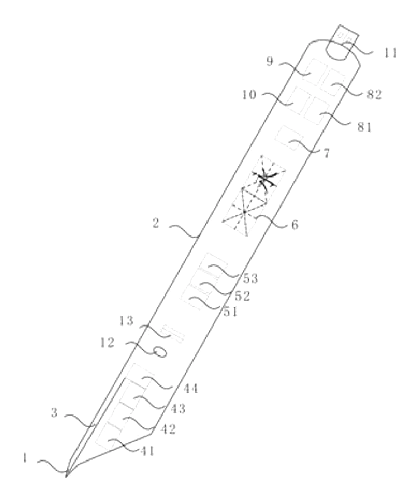
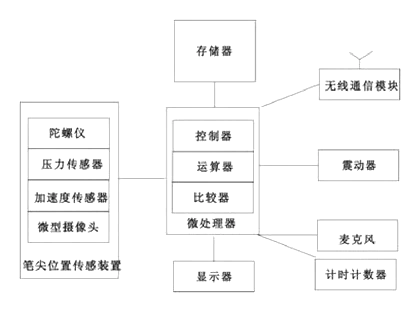
- A pen tip position sensing device inside the barrel tracks the pen core using a miniature webcam, gyroscope, acceleration transducer and pressure sensor.
- The sensor data goes to a microprocessor containing a controller, arithmetic unit and comparator.
- Before writing, users download font libraries (such as regular script or running hand) into the memory through a USB interface.
- During writing, the arithmetic unit decodes the handwriting information, and the comparator selects the closest matching font character from memory.
- If the written text has a missing or extra stroke compared to the reference font, the controller sends a signal to a vibrator, which shakes to prompt the writer.
- A strip display on the barrel surface shows the decoded text, while a wireless communication module sends both the written text and the matched font character to a wireless remote data indicator.
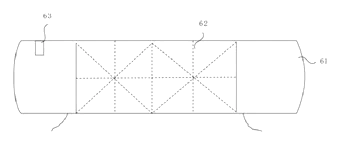
- The remote indicator features a screen of about 5 cun or more, divided into two or more square viewing areas with implied grid patterns, showing the user’s writing and the reference character side by side.
- A microphone and switch button allow the writer to press the button and read out the character’s pronunciation, sending the voice signal to the microprocessor for decoding.
Who it is for
- Educational stationery brands looking to add an electronic handwriting-practice tool to their school supply catalog, giving students immediate physical feedback without needing a tablet.
- EdTech hardware developers building connected classroom tools who need a pen that pairs wirelessly with a larger remote display for teacher monitoring or group practice.
- Office supply wholesalers serving corporate buyers who want a note-taking instrument that digitizes meeting notes locally on the pen and transfers them via USB or wireless connection.
- Promotional product distributors sourcing unique electronic gifts for schools or training centers, where the pen’s dual display and voice input stand out from standard styluses.
How it works
The main parts
| No. | Part | What it does |
|---|---|---|
| 1 | Pen tip | The writing point of the pen. |
| 2 | Barrel (handwriting) | Houses the electronic compartment and carries the display on its surface. |
| 3 | Pen core | Holds the ink; sensors are located at its end. |
| 41 | Miniature webcam | Points toward the pen tip to capture movement. |
| 42 | Gyroscope | Tracks rotational movement near the acceleration transducer. |
| 43 | Acceleration transducer | Measures movement speed near the pressure sensor. |
| 44 | Pressure sensor | Located at the end of the pen core to detect writing pressure. |
| 51 | Controller | Coordinates all electronic components in the microprocessor. |
| 52 | Arithmetic unit | Decodes sensor signals into text information. |
| 53 | Comparator | Compares written strokes against the font library. |
| 6 | Display | A strip screen on the barrel surface showing text. |
| 7 | Vibrator | Shakes when the comparator finds a missing or extra stroke. |
| 9 | Memory | Stores downloaded font libraries. |
| 10 | Wireless communication module | Sends data to the remote indicator (e.g., Bluetooth). |
| 11 | USB interface | Connects to power and memory for downloading fonts. |
| 12 | Switch button | Activates the microphone. |
| 13 | Microphone | Captures voice input for pronunciation hints. |
| 61 | Wireless remote data indicator | Receives wireless signals for external display. |
| 62 | Display screen | Shows written text and reference fonts side by side in divided areas. |
| 63 | Wireless communication recipient | Receives data from the pen’s wireless module. |
| 81 | Power supervisor | Manages electrical energy distribution. |
| 82 | Rechargeable battery | Provides power to the system. |
Operating steps
- Download fonts - Connect the USB interface to load regular script or running hand font libraries into the memory.
- Write - The pressure sensor, acceleration transducer, gyroscope and miniature webcam track the pen core’s movement.
- Process - The arithmetic unit decodes the sensor data into text information.
- Compare - The comparator checks the written strokes against the downloaded font library.
- Alert - If a stroke is missing or extra, the controller activates the vibrator to shake.
- Display - The barrel display shows the text, and the wireless module sends the written text and matched font to the remote indicator’s divided screen.
- Voice input - Press the switch button and speak into the microphone to record pronunciation.
Applications
Classroom handwriting practice
Students use the pen to trace characters while the sensors track their strokes. The vibrator alerts them instantly if they skip a line or add an extra one, allowing self-correction without waiting for a teacher to check their paper.
Calligraphy training clubs
Calligraphy students download specific font styles like running hand into the memory before a session. The remote data indicator sits on the desk, displaying the student’s live writing next to the master character in the grid-patterned viewing areas for direct comparison.
Corporate meeting notes
Professionals write notes during meetings using the pen’s standard writing function. Afterward, they connect the USB interface to transfer the digitized text stored in the memory to a computer, keeping physical notes and digital records aligned.
Language learning at home
Learners studying new characters press the switch button and speak into the microphone while writing. The microprocessor processes the voice signal alongside the handwriting data, combining audio pronunciation practice with stroke-order verification.
Where it is less suitable
- Standard everyday writing - Users who only need basic ink on paper will find the electronic compartment and charging requirements unnecessary.
- Wet or outdoor environments - The USB interface, microphone and exposed display surfaces require protection from moisture that standard sealed pens handle easily.
Frequently asked questions
What sensors are inside the pen?
The patent describes a pen tip position sensing device made of four components at the end of the pen core: a miniature webcam pointing toward the tip, a gyroscope, an acceleration transducer and a pressure sensor. Together they track the pen’s movement and pressure during writing.
How does the vibration feedback work?
When writing, the microprocessor decodes the sensor data and compares the strokes against a downloaded font library. If the comparator finds that a stroke is missing or extra compared to the reference character, the controller sends a signal to the vibrator inside the barrel, causing it to shake and alert the writer.
What is the wireless remote data indicator?
It is a separate device paired with the pen via a wireless communication module. According to the patent, it has a display screen sized at about 5 cun or more, divided into two or more square viewing areas with implied grid patterns. It shows the user’s written text and the closest matching font character side by side.
Does the pen support voice input?
Yes. The patent lists a microphone and a switch button inside the electronic compartment. When the user presses the switch button and speaks, the microphone captures the voice signal and sends it to the microprocessor for decoding.
How is the pen powered?
A power supply inside the barrel includes a rechargeable battery and a power supervisor that distributes electricity to the electronic components. The USB interface connects to the power supply for charging and to the memory for downloading font libraries.
Can the font libraries be changed?
The memory stores font libraries such as regular script or running hand. These are downloaded into the pen through the USB interface before practice, allowing different character styles to be loaded as needed.
Is the display on the pen itself large?
The patent describes the display on the barrel surface as having a strip shape. Exact dimensions are set in design and confirmed on prototypes to ensure the pen remains comfortable to hold.
Can this design be made and sold in the US?
The patent was filed only in China and is lapsed due to non-payment of annual fees, so it does not restrict the design in the US or in China. Electronic writing instruments may be covered by other US patents - see Patent & Production - so we recommend a freedom-to-operate check before volume production.
Are you affiliated with the patent owner?
No. IP2M is an independent design and manufacturing service working from the public patent document.
Request a quote
Click Request a Quote below to see our email address - copy it, or open your email app with a ready-made message. Please mention patent CN107139606B in the subject.
Helpful details to include:
- Your company and channel (educational brand, office supplier, EdTech developer, promotional distributor)
- Target user (children, students, adults, calligraphy practitioners)
- Required features (vibration feedback, remote display, voice input, specific font libraries)
- Barrel material and color preferences
- Estimated quantity and target price
- Timeline - when you would like prototypes and the first shipment
You can also reach us at (332) 203-9997.
Explore this product
Interested in building this?
Tell us your target market, quantity and timeline. We reply with options for prototyping, small-batch runs or volume production.
Send your inquiry to
Please put CN107139606B in the subject line and tell us your company, country, estimated quantity and timeline.
Prefer to talk? Call (332) 203-9997.
More product-ready patents
All School, Office & Art patents →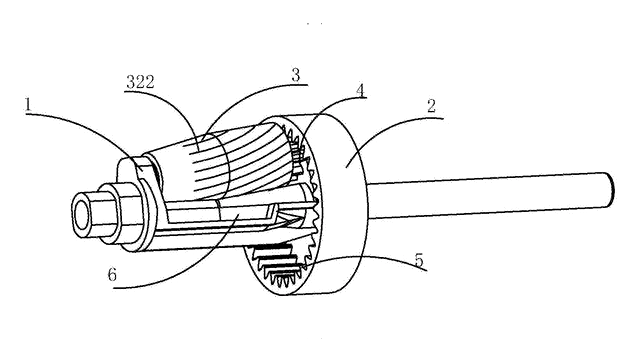
School, Office & Art
Long-Point Sketch Pencil Sharpener
Crank sharpener that cuts only the wood of sketch pencils, leaving a long, round lead about 30 mm long.
Patent CN207241257U
School, Office & Art
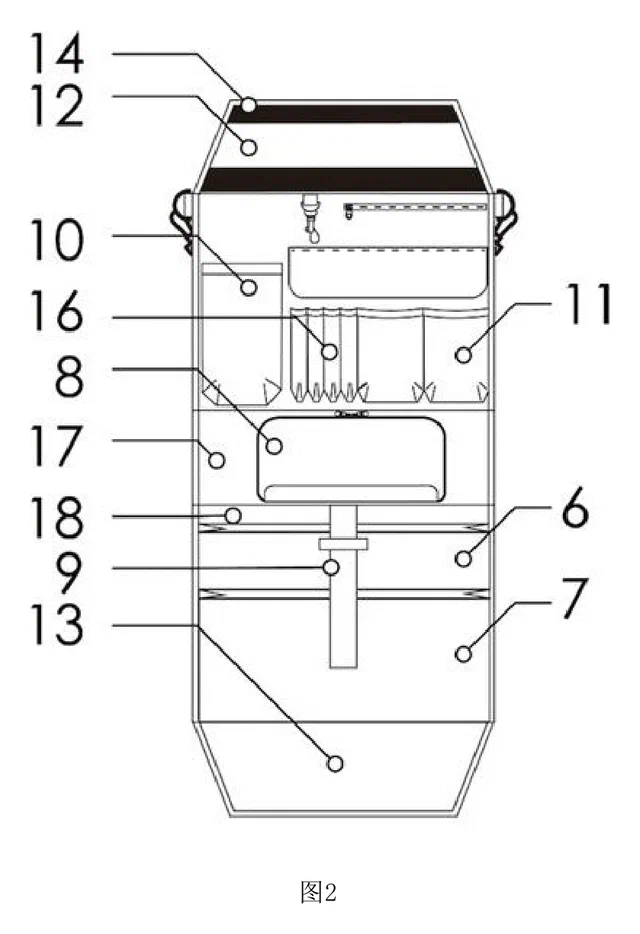
Fold-Out Desk Organizer Insert for School Backpacks
Backpack insert that unfolds into a hanging desk organizer for workbooks, stationery and a water bottle.
Patent CN209436546U
School, Office & Art
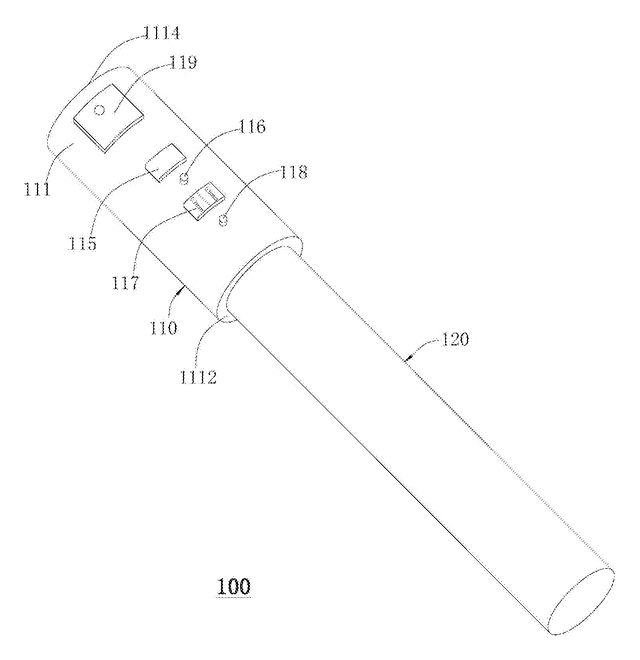
Smart Pencil Cap That Checks the Point with a Camera
Electronic pencil cap that photographs the point, measures it and reminds you to sharpen.
Patent CN106427302B
School, Office & Art
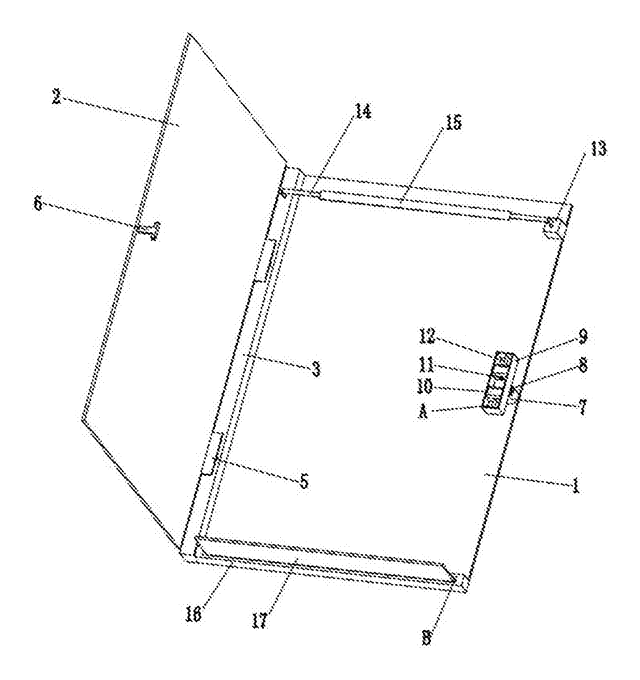
Expanding Clipboard Folder with Spring-Mounted Hinge and Catch
Hard folder whose spring-mounted hinge and catch let the cover clamp any thickness of paper.
Patent CN105667120B
School, Office & Art
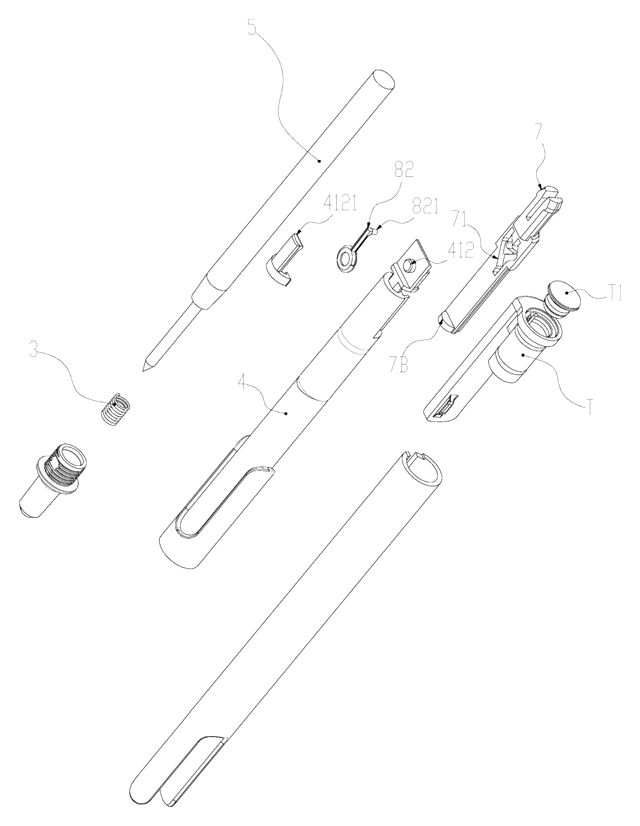
Slide-Action Retractable Pen with a Friction-Loaded Cam That Ignores Gravity
Slide-action retractable pen whose spring-pressed cam latch stays put whichever way the pen is held.
Patent CN217671900U
School, Office & Art
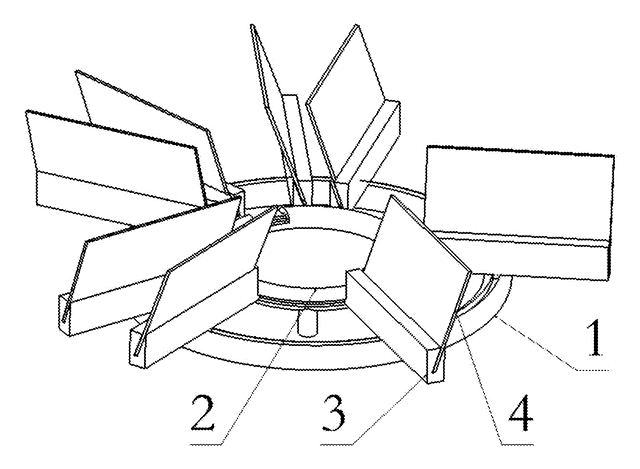
Carousel Business Card Holder with Rolling Card Trays on Twin Ring Tracks
Desk card holder: angled card trays roll on wheels around two concentric ring tracks and lift out.
Patent CN105774300B
Browse by category
- Apparel & Accessories (22)
- Baby & Kids (16)
- Bags & Luggage (9)
- Bath & Personal Care (16)
- Car Accessories (10)
- Furniture, Bedding & Storage (12)
- Garden & Outdoor (18)
- Health & Wellness (8)
- Home, Kitchen & Cleaning (24)
- Lighting (12)
- Packaging & Containers (6)
- Pet Products (6)
- Phone & Camera Accessories (4)
- Retail Display (13)
- School, Office & Art (19)
- Sports & Recreation (25)
- Tools & Workshop (27)
- Toys & Games (12)
This page is based on the public patent document CN107139606B, assigned to Individual. IP2M is an independent manufacturing service and is not affiliated with, endorsed by or licensed by the patent owner. Images marked as concept renderings are illustrations, not photos of an existing product. Patent status information is provided for reference only and is not legal advice; confirm freedom to operate for your market before production. Full disclaimer.